Integrated Extensions
Enhance Your Website with the Powerful Tools
Enhance Your Website with the Powerful Tools
Martyn Haulage gravel pit has been supplying and delivering aggregate to Durham Region and Kawartha Lakes for over 30 years. Some of our aggregate stone, gravel and fill products include:

 Drain stone
Limestone
Limestone screenings
Topsoil, screened topsoil
River Rock
A Gravel
B Gravel
Brick sand, Cable sand
Septic sand and stone
Filter sand , Beach sand
Gabion stone
Equestrian Riding arena sand footing
See our Products and Services for complete aggregate product information and delivery details. We also offer trucking and truck rental services available upon request.
From our Gravel Pit, we are ready for you to pick up in your small truck or container, or we can deliver to your home or business.
We provide Sand, Gravel and Fill to homeowners and contractors alike, across Durham Region and Kawartha Lakes including: Port Perry, Scugog, Lindsay, Bowmanville, Courtice, Oshawa, and Whitby, Ajax, Pickering, Markham, Stouffville.
Hexeris for Joomla is a RocketTheme Joomla Template Club release featuring the revolutionary Gantry Joomla Template Framework. Gantry is a comprehensive set of building blocks that enable the rapid development and realization of a design into a flexible and powerful web platform template.
To configure the template, navigate to Extensions → Template Manager → rt_hexeris. Mouseover the labels to view a description of each parameter.
The following is a guide that covers how to set up your new Hexeris template on your Joomla! site. Here you can find an overview of the files included in the Hexeris release and instructions on installing and activating the template in your Joomla! install.
Note: The Bundle Template is only necessary if the Gantry Library is not installed at /libraries/gantry directory.
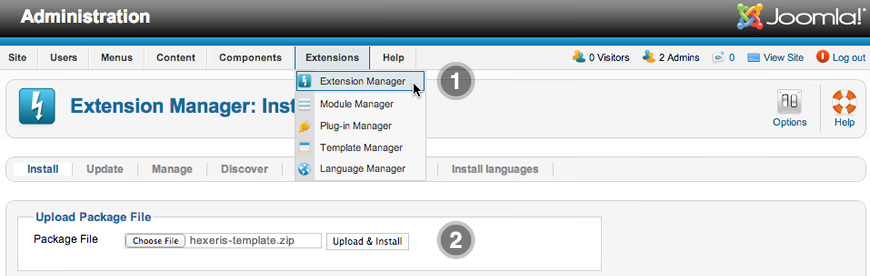
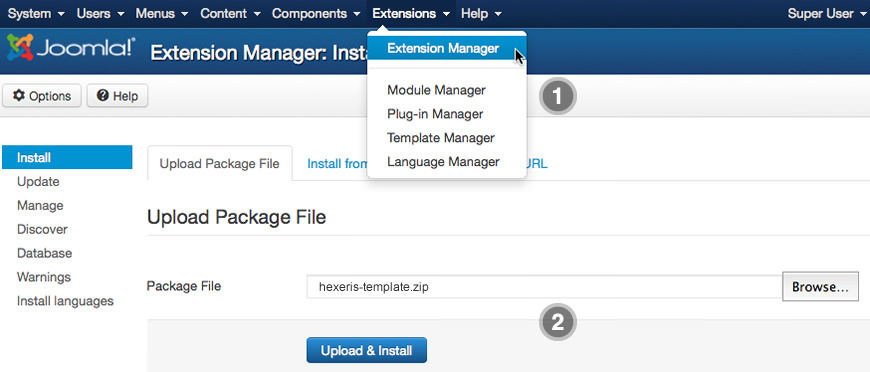
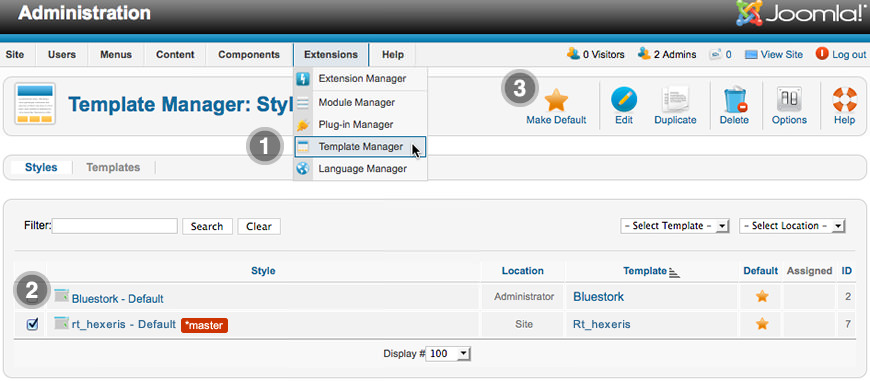
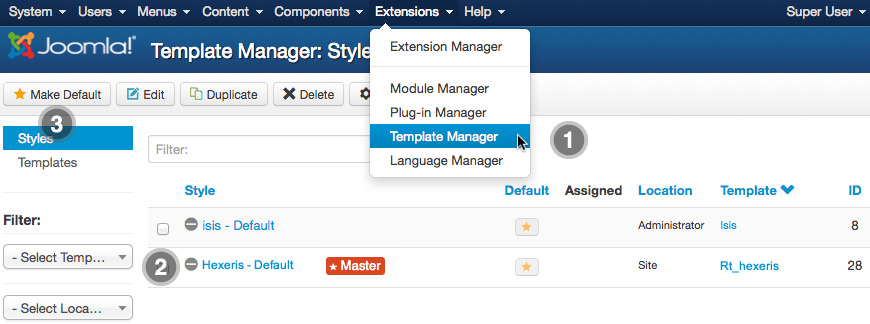
We always recommend installing a RocketLauncher first to trial and understand the template more effectively. It must be installed as new, and not over an existing Joomla install.
Note: You can upload all the files via FTP, or use cPanel or SSH to upload the zip and unzip directly onto the server. Enquire with your hosting provider.
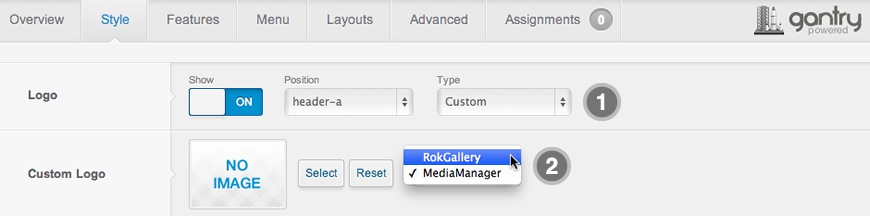
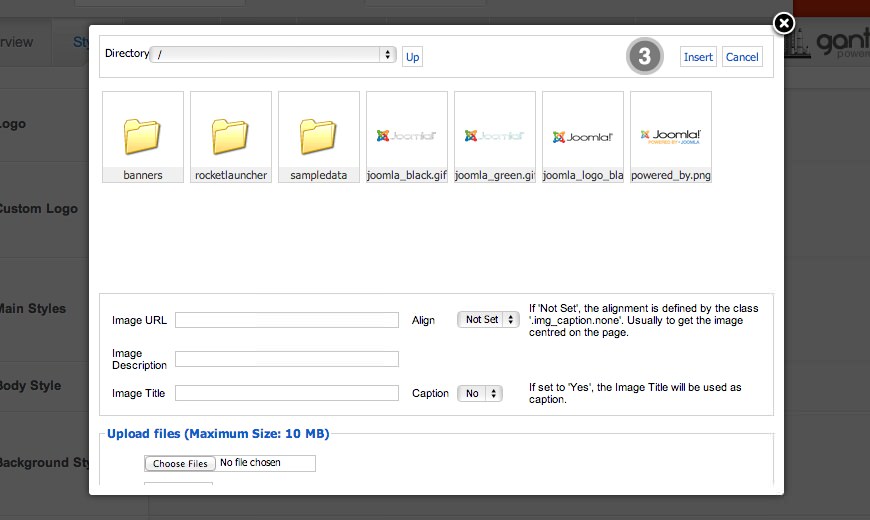
If you cannot see your new logo, ensure you have uploaded it to the right directory and the directory permissions are writeable. Enquire with your hosting provider.
Download Sources Here